Create an Event
Mr.Wirt
Our website has a powerful event calendar that help us manage the many things that happen for the team. Outreach events, team elections, grant deadlines and competitions are all useful things to put on our calendar.
Image
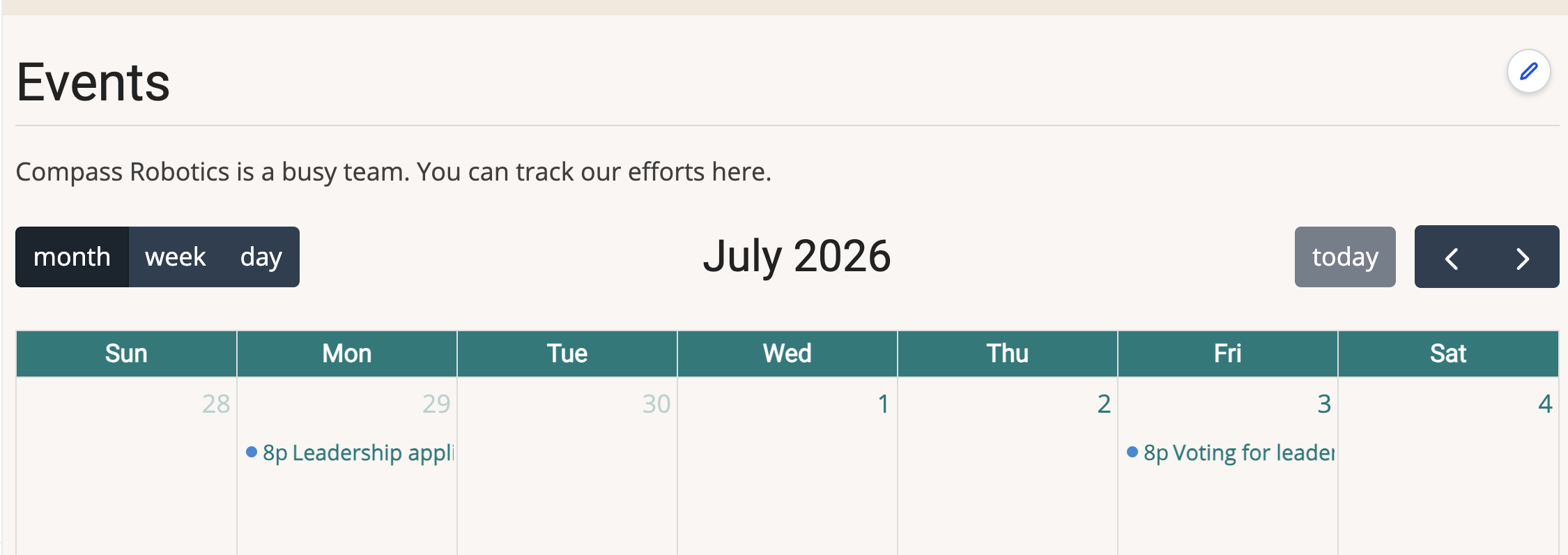
To post an item on our event calendar, the steps look like this:
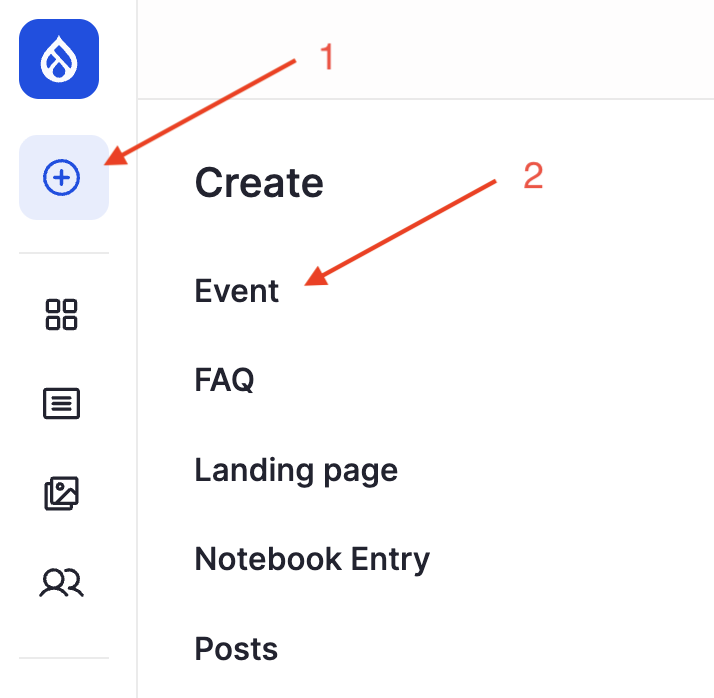
- Find "add content" button
-
Select "Event"
Image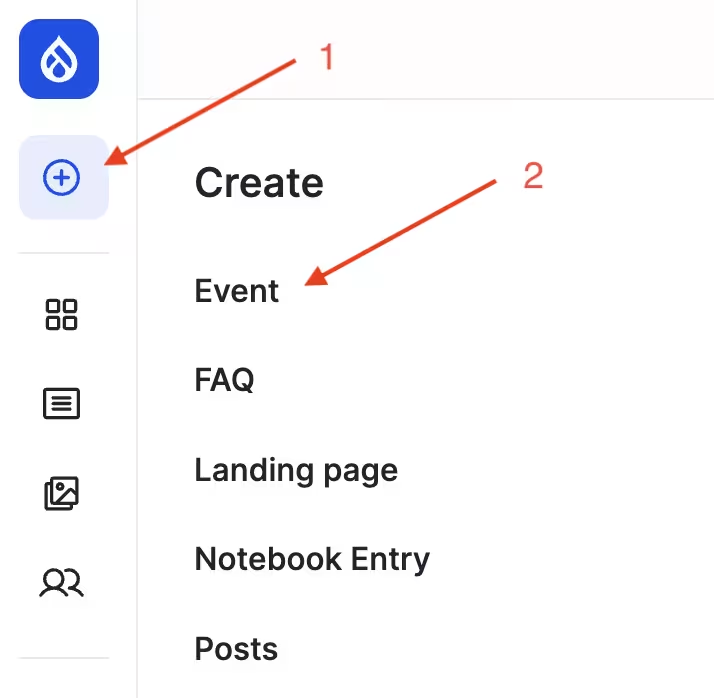
-
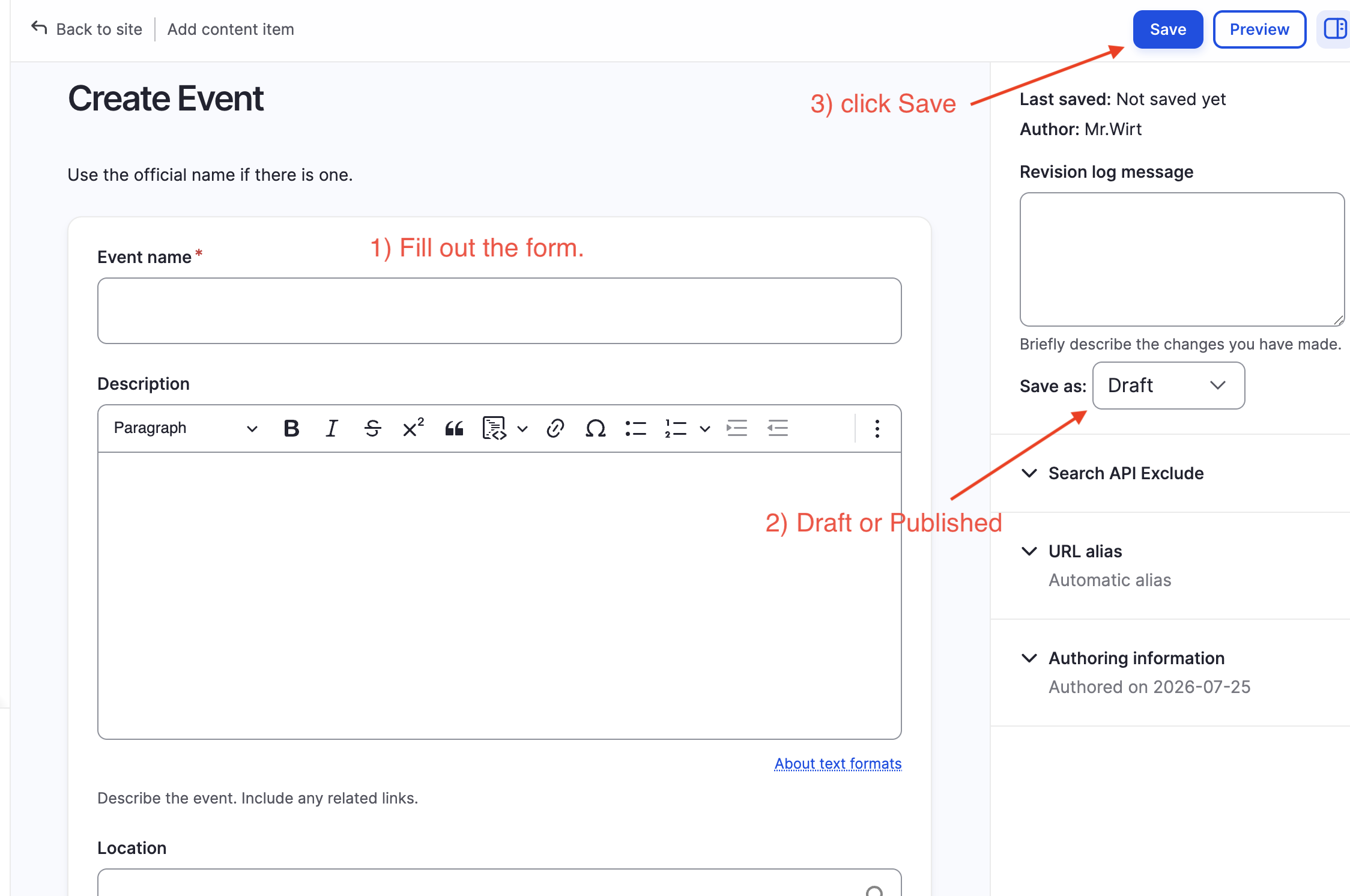
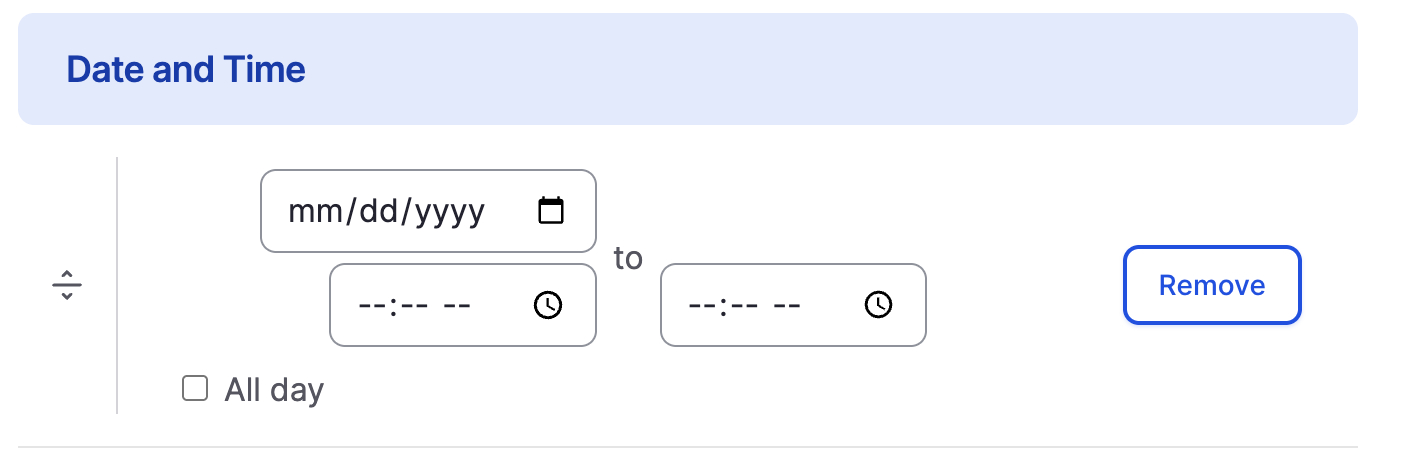
Complete the form to show the details of the event
Image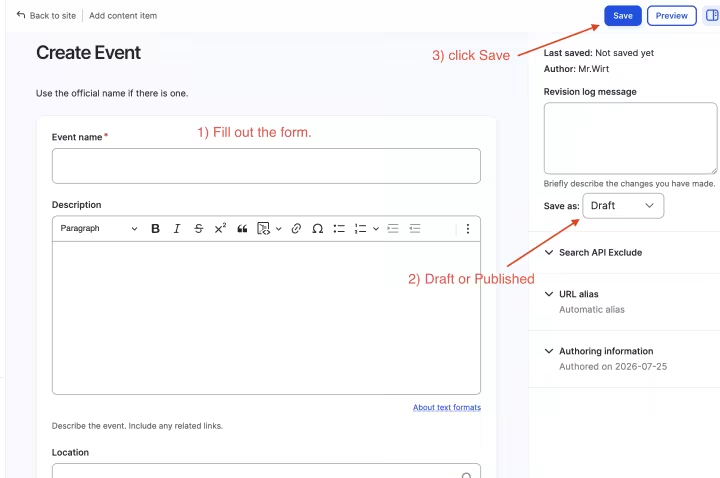 Image
Image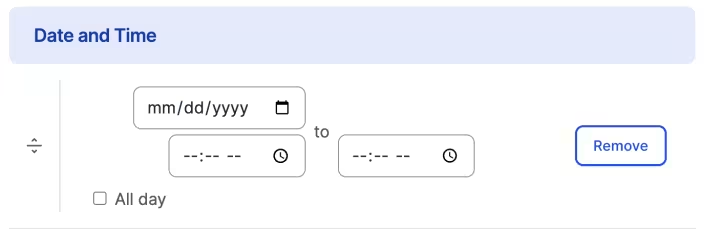
- When the details are complete, you can save the event. If want to make it appear on the calendar, you must change it from "Draft" to "Published". Then click the save button. Not everyone has the ability to publish events. If you can not select the "Published" option save it as draft, then ask a lead or a mentor to publish it.