
How to work a Task
Find it
To work on a task, you first have to find the project and related board you are working within. In this example I am working in the Admin board
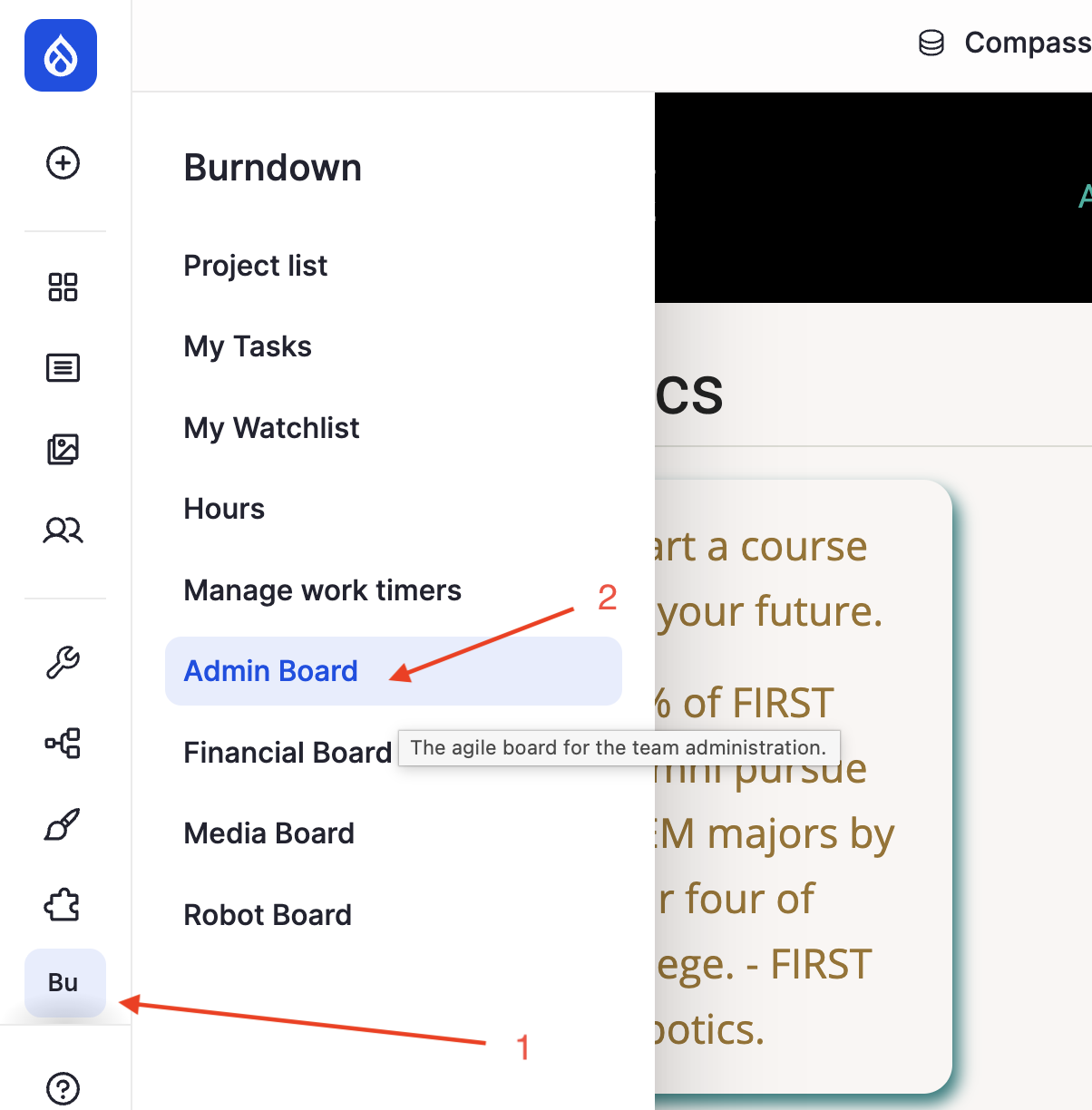
Own it
Then find the Task to work on in the "To do" column. This column is organized with the most import or urgent tasks at the top, so draw from the top of the column if you can.
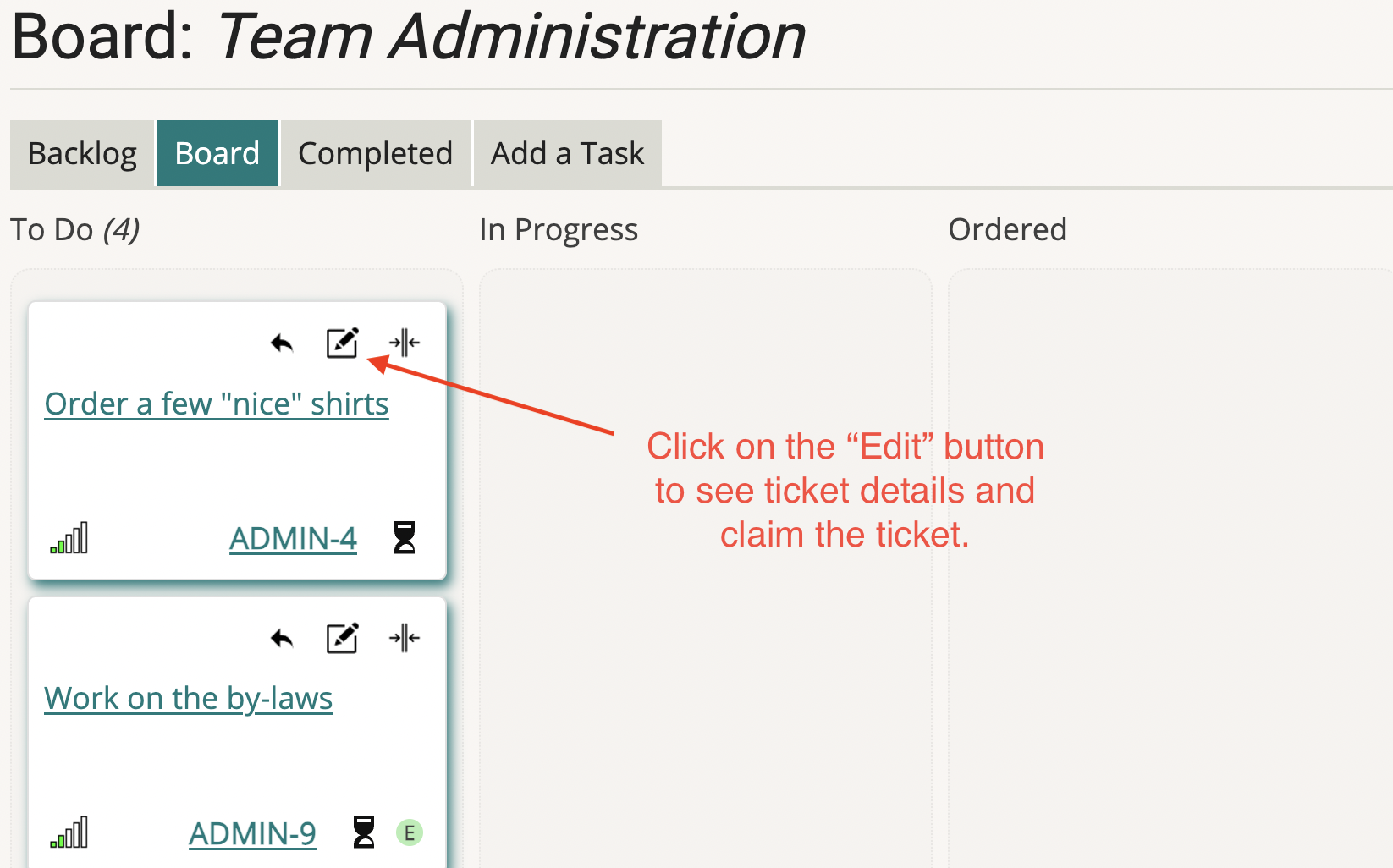
You will need to assign the ticket to yourself (often called putting your face on it) Click the "edit" icon near the top of the Task card. It will open the task for editing.
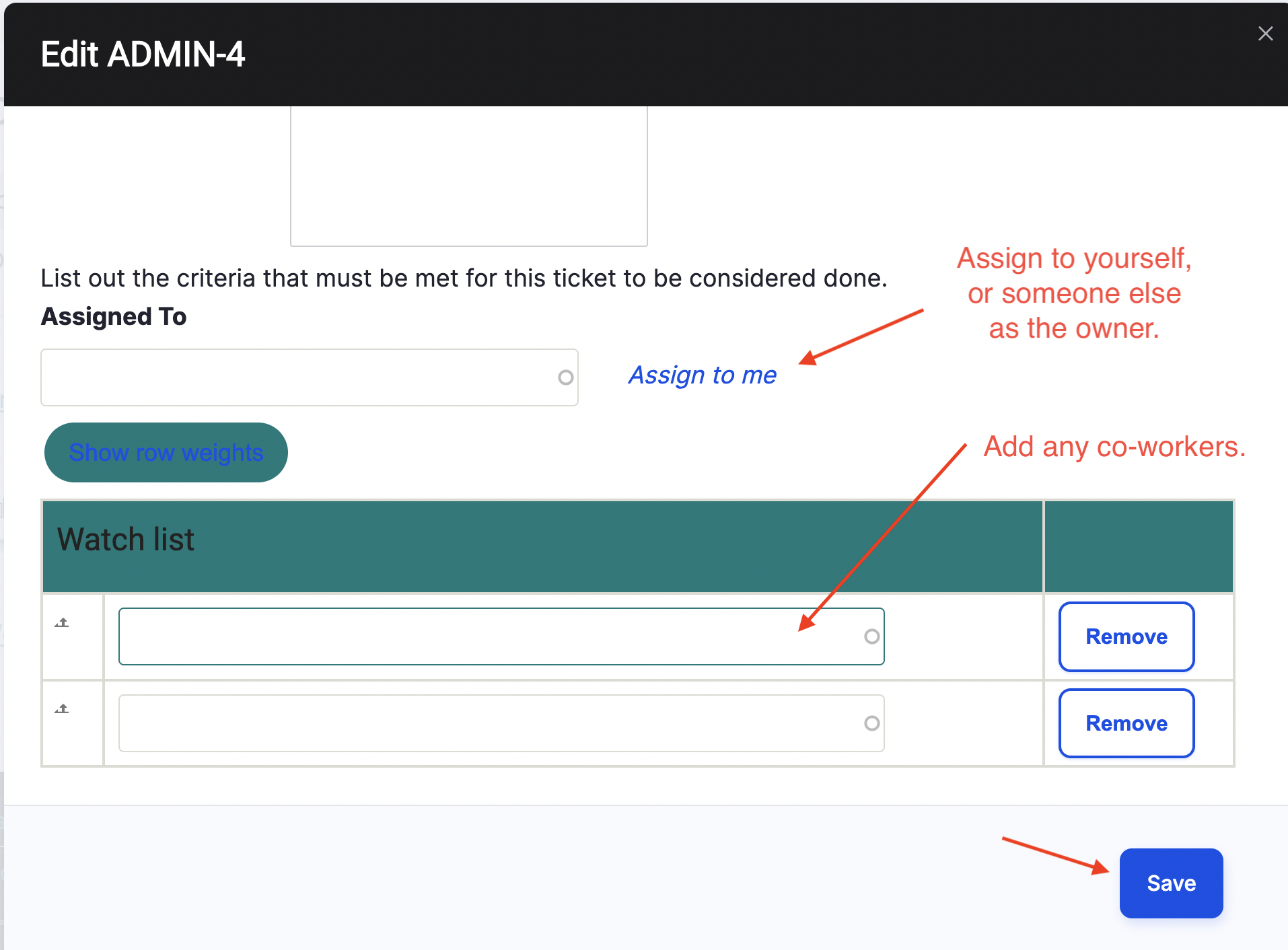
Assign the ticket to yourself and add anybody that has agreed to co-work with you to the Watch list. Then click "Save" to save your changes.
Do it
Since we record time working for the team, start your work timer on that ticket by clicking the black hourglass. It will turn red to show it is running.
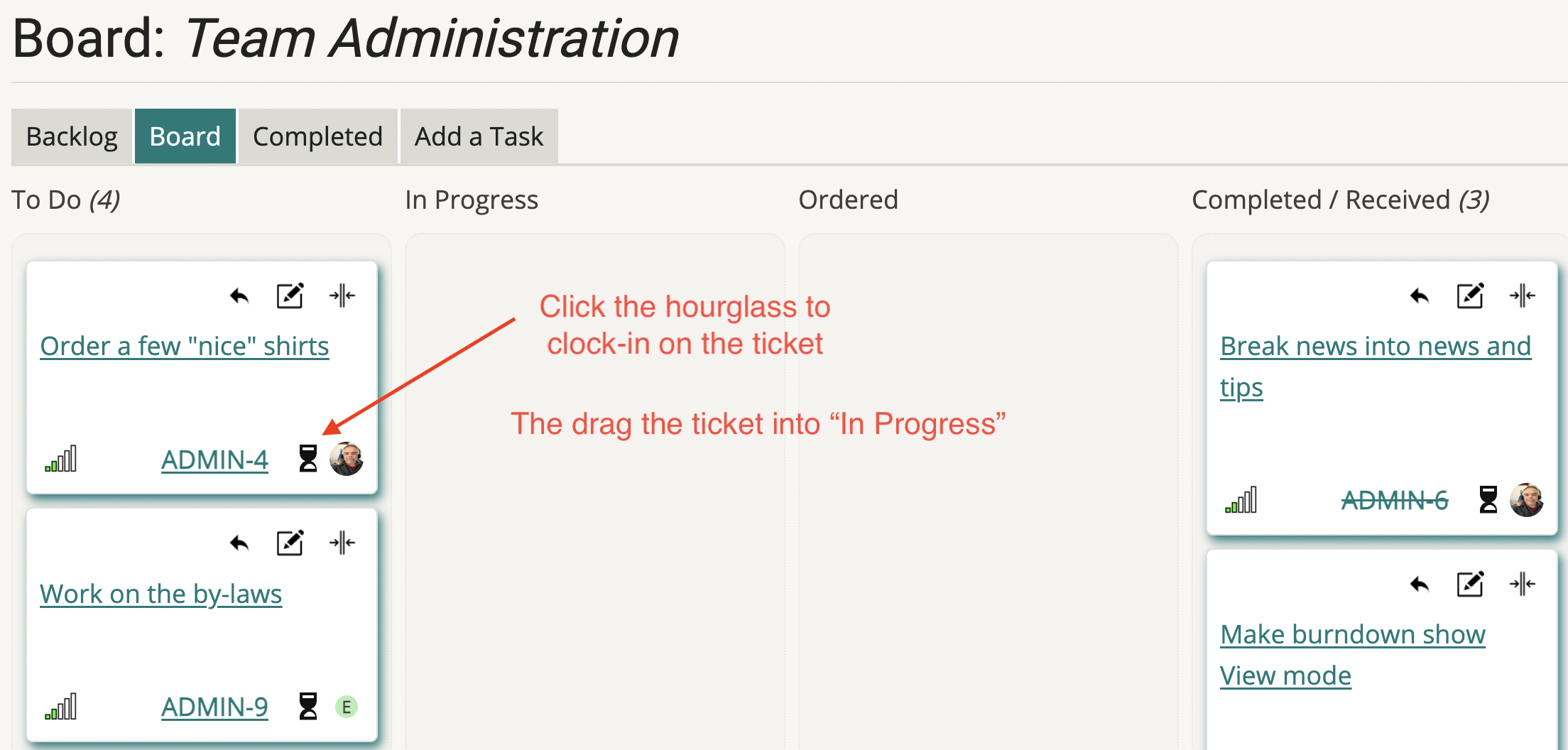
Any co-workers on the ticket will have to login and start their own timers for the Task.
Then drag the ticket to "In Progress" and begin working on it. Pay close attention to the description and The "Acceptance Criteria". Those need to be completed before the Task can be moved to QA. If you don't know the Acceptance Criteria, then you truly don't know what you are doing. Make sure the AC's are clear. If they are not clear, talk to the person that reported the Task or talk to your lead.
As you work on the Task, you can record notes or problems in the comments of the Task. Do this by editing the task and scroll down to the log
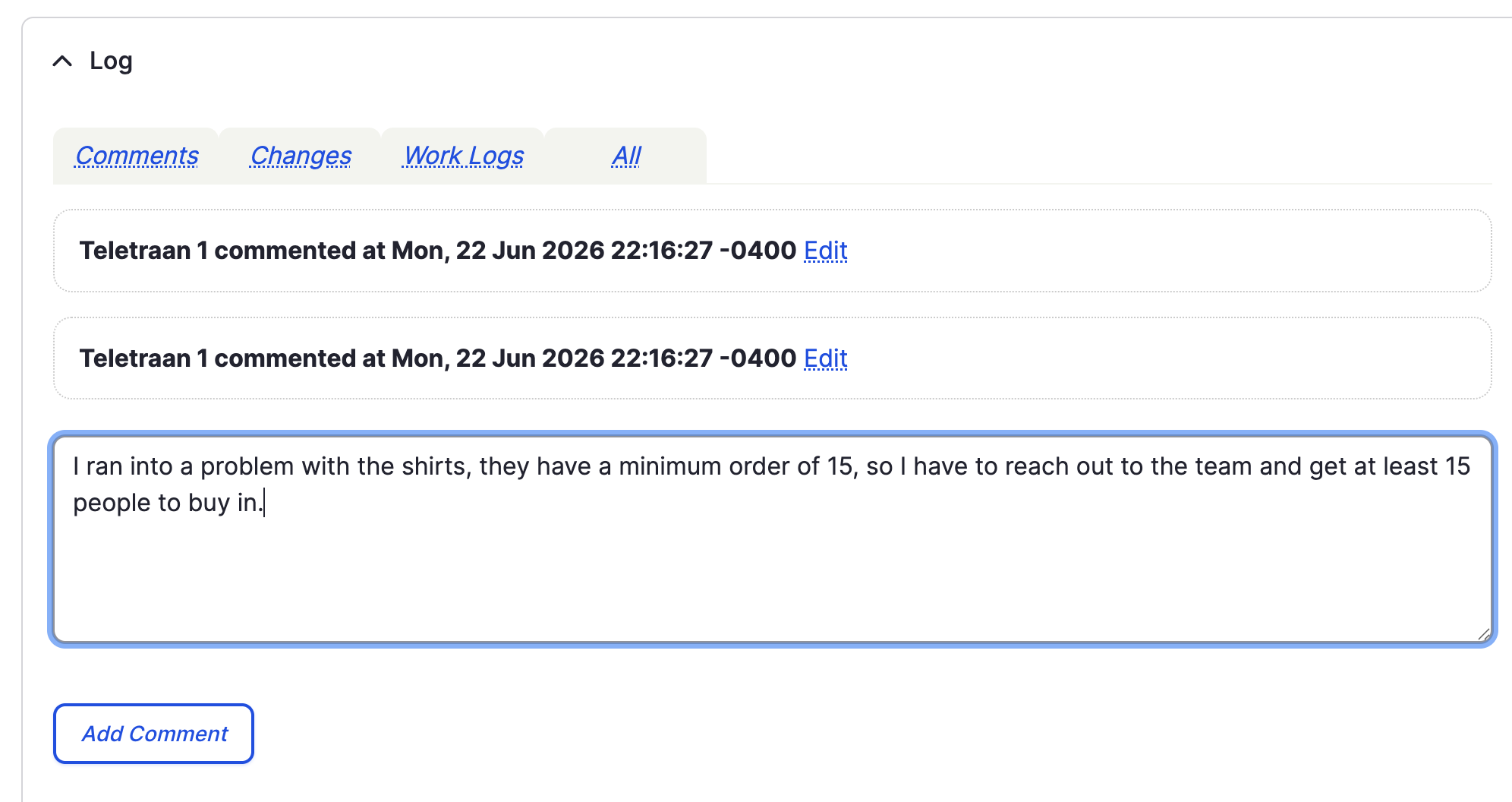
The comments help log your progress as well as make it so the team knows where you left off in case you end up being unexpectedly out sick.
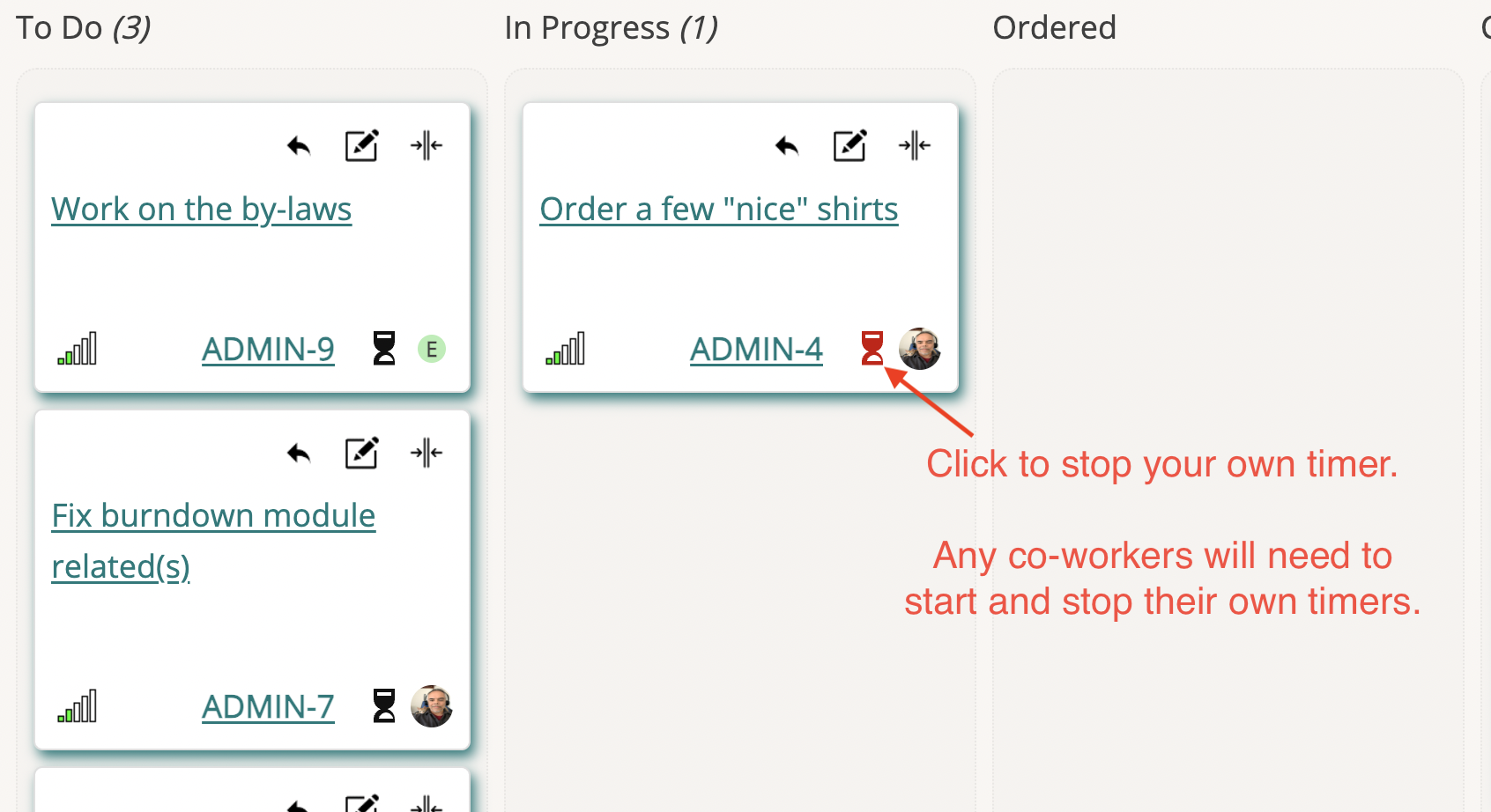
Whenever you stop working on the ticket even if you are not done, click the red hourglass to stop your timer. Again anyone working with you will need to stop their own timer when they are stop working.
Get it into QA
When you are done with the ticket and think all the Acceptance Criteria (ACs) have been met, then you should move your Task into QA and alert your lead, or the Task reporter that it is ready for QA.
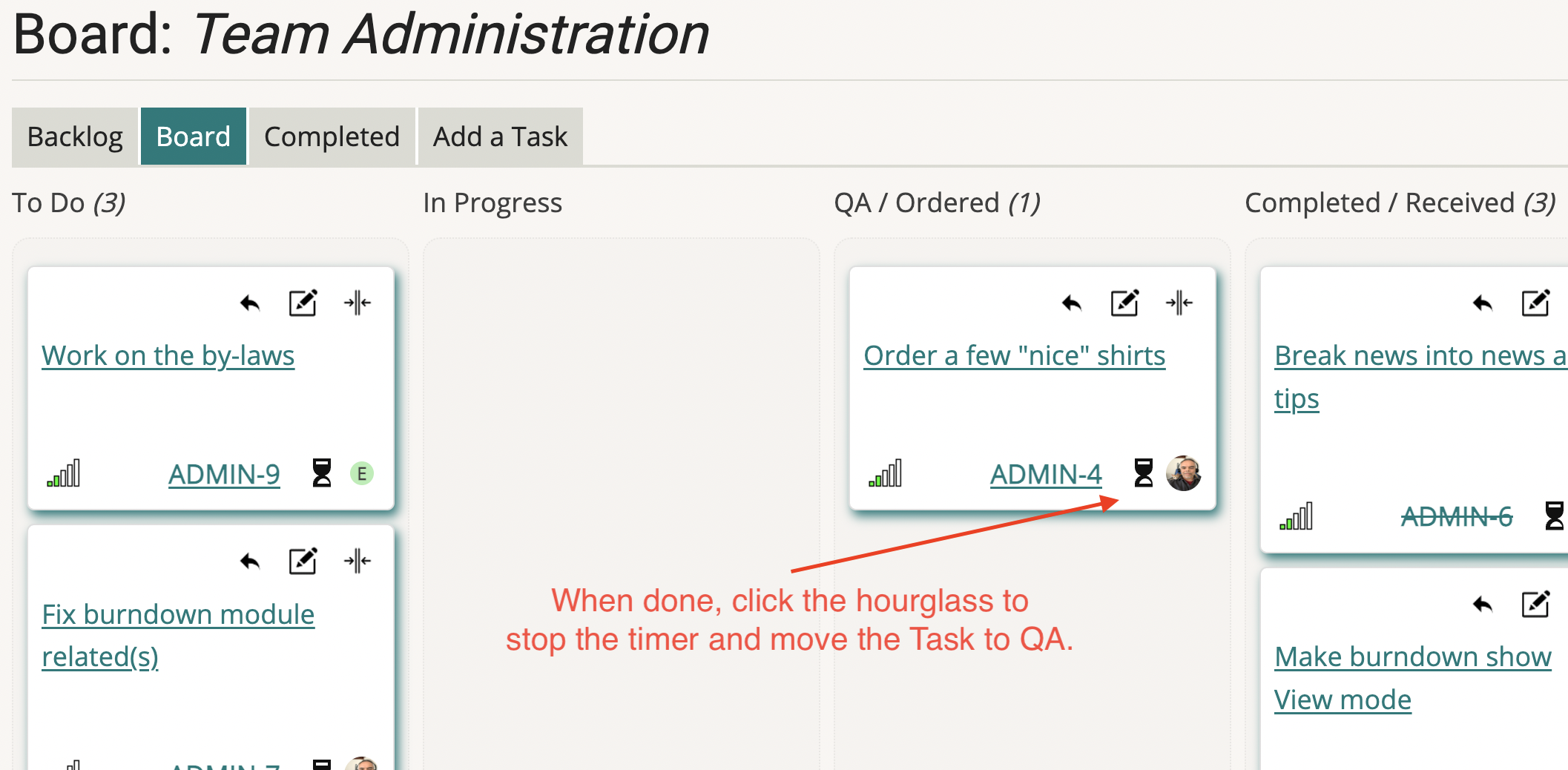
If they find that all is good, they will approve it and move it to "Completed". If they find something wrong, they will move it back to "To Do" and let you know in the comments that it needs work.
Cycle Repeats
When the Task makes it across the finish line (completed), celebrate, then look for the next Task to tackle and Find The Way.